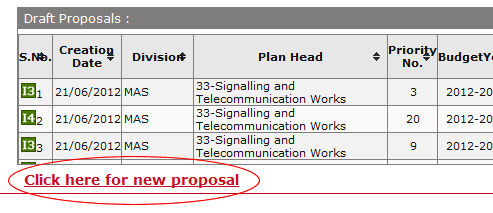
To open this form login in IRPSM using your Login Id and click on link Click Here for New Proposal available at the bottom of the page.
After clicking above highlighted link, New Proposal window will open to create new proposals.
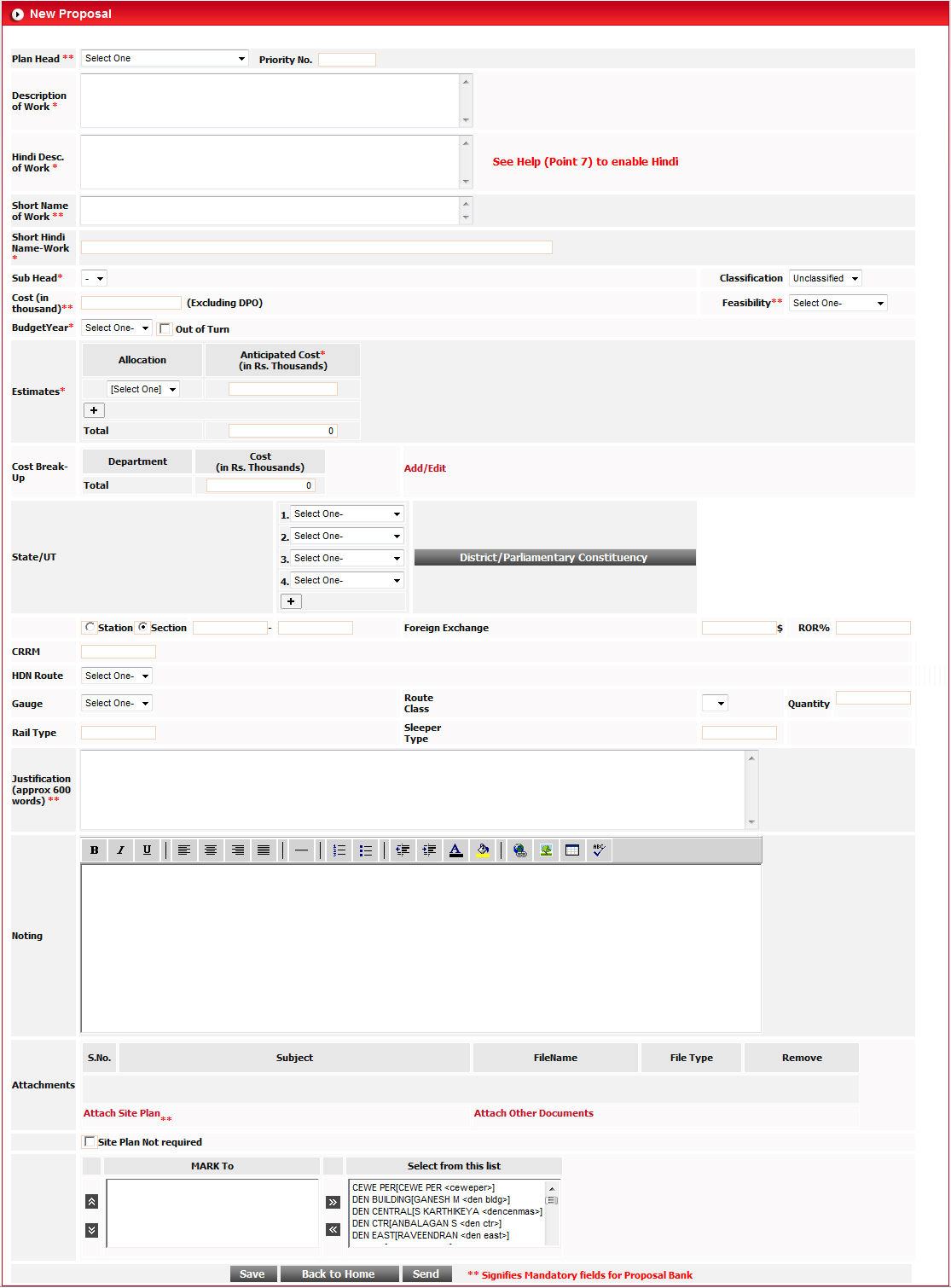
After filling data in this form, click on  button
to save the newly created proposal.
button
to save the newly created proposal.
To go back on home screen, click on  button.
To send proposal to desired designated authority, select
designation in MARK To list using  button and click on
  button.
When you select plan head 31 by using drop down list, a new
button  below to cost field appears in this form. This button
is used to fill the Cost for proposal.
below to cost field appears in this form. This button
is used to fill the Cost for proposal.
Before using this button you must have to fill some mandatory fields like Budget Year, Description of Work, Short Name of Work, Justification, Feasibility, Site Plan Check box, Gauge.
After filling all these mandatory fields, click on button, and a new form named Track Renewal will appear on the screen.

When you select Category of Work and Type of Work, two buttons appears at the last of this row.

Fill all required fields and click on  button.
A new window will open on the screen named Details of CTR, TRR and TSR.
button.
A new window will open on the screen named Details of CTR, TRR and TSR.
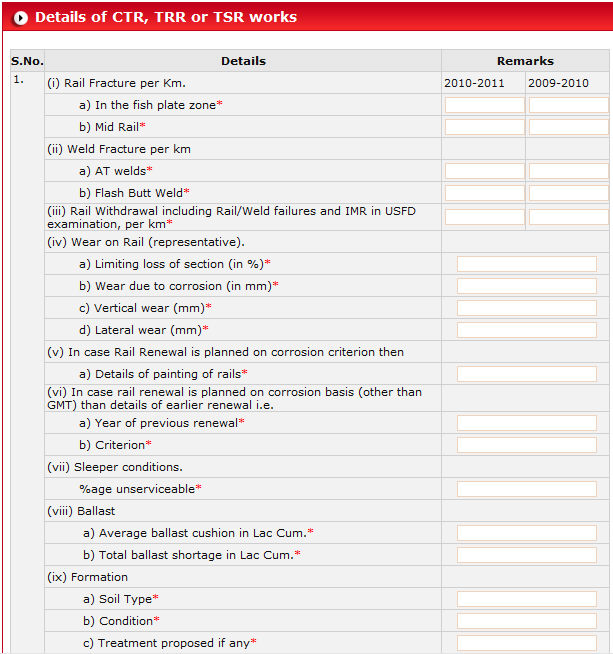
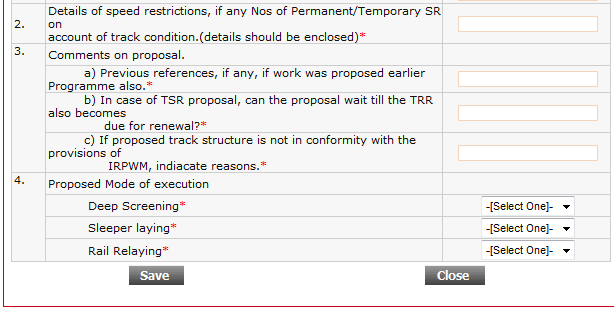
Fill all required fields and click on Save button. Close
this window and go back to parent window. Click on Save button and then
click on  button to go back on main screen.
When you follow these steps, you will get calculated figure in Cost field automatically.
To open Existing/Proposed
Track Structure window, click on  button.

Perform required operation/filling data and click on button. Close the window by clicking Close button.
Fields marked * indicates mandatory fields.
When you select Primary option from drop down Category of Work, list of work comes accordingly in drop down Type of Work.
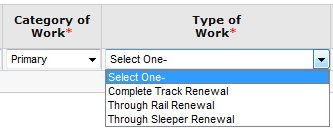
When you select type of work Through Rail Renewal, two annexure buttons appear on the right side of the row.

Click on  button to open
window of details of CTR, TRR or TSR works.
button to open
window of details of CTR, TRR or TSR works.

Fill the form as per your requirement
and click on button.
Click on  button to open
Track Structure form.
button to open
Track Structure form.

Fill the form and click on button to feed Track Structure.
-----------------------------------------------------------------
When you select type of work Through Sleeper Renewal, two annexure buttons appear on the right side of the row.
Click on button to open
window of details of CTR, TRR or TSR works.
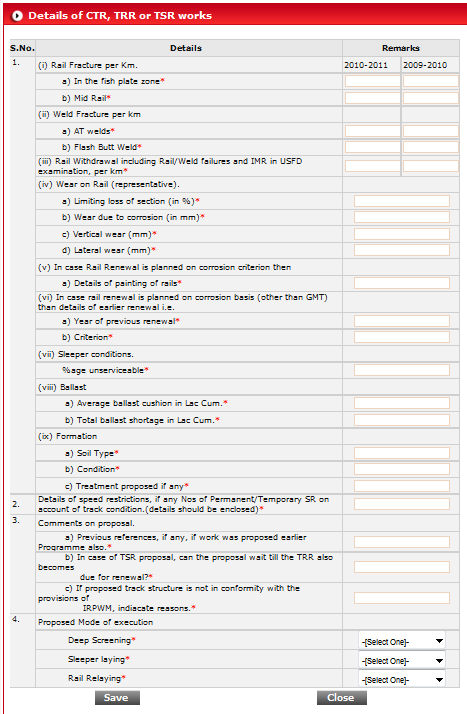
Fill the form as per your requirement
and click on button.
Click on button to open
Track Structure form.

Fill the form and click on button to feed Track Structure.
-----------------------------------------------------------------
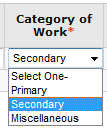
Follow the same steps for second option Secondary available in drop down Category of Work.
------------------------------------------------------------------------------------------
When you select Miscellaneous option from drop down Category of Work, list of work comes accordingly in drop down Type of Work.
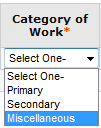
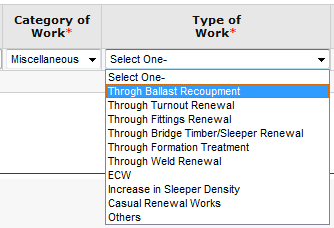
When you select type of work Through Ballast Recoupment, a button appears on the right side of the row.
Click on button to open
window of Through Ballast Recoupment(TBR).
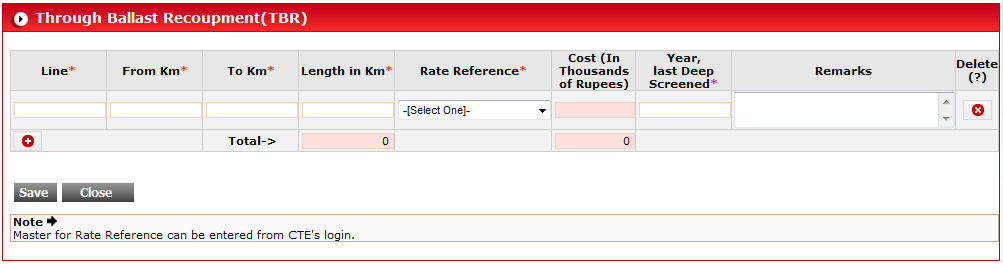
Fill the form as per your requirement
and click on button.
------------------------------------------------------------------------------------------
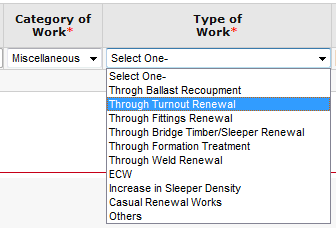
When you select type of work Through Turnout Renewal, two buttons appear on the right side of the row.
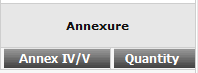
Click on button to open
window of Through Turn-out Renewal(TTR).
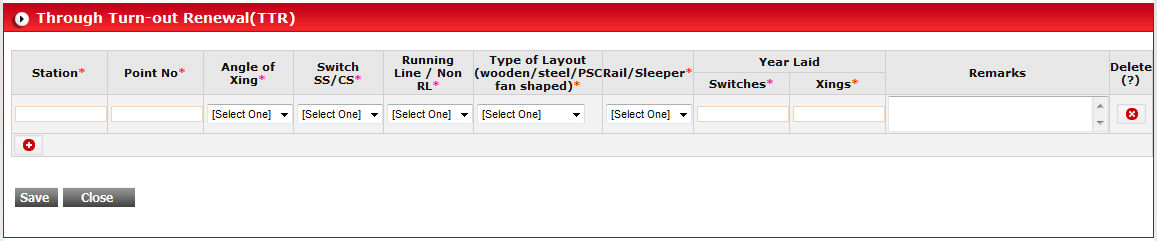
Fill the form as per your requirement
and click on button.
Click on  button to open
window of (TTR QTY).
button to open
window of (TTR QTY).
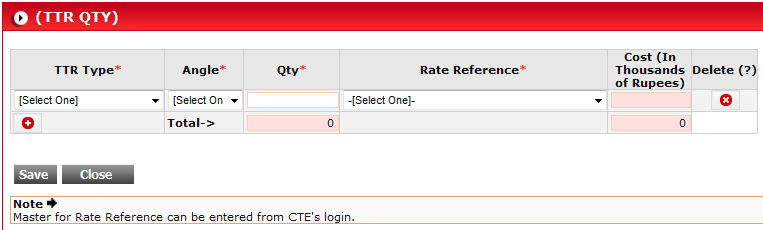
Fill the form as per your requirement
and click on button.
------------------------------------------------------------------------------------------
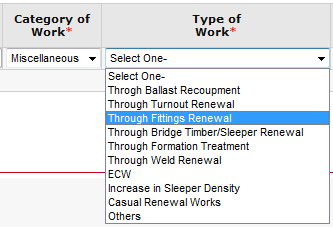
When you select type of work Through Fitting Renewal, a button will appear on the right side of the row.
Click on button to open
window of Through Fitting Renewal (TFR).

Fill the form as per your requirement
and click on button.
------------------------------------------------------------------------------------------
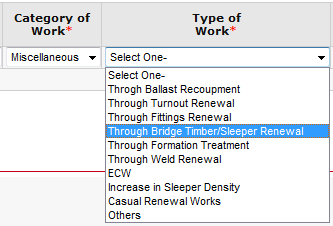
When you select type of work Through Bridge Timber/Sleeper Renewal, a button will appear on the right side of the row.
Click on button to open
window of Through Bridge Timber Renewal
(TBTR).
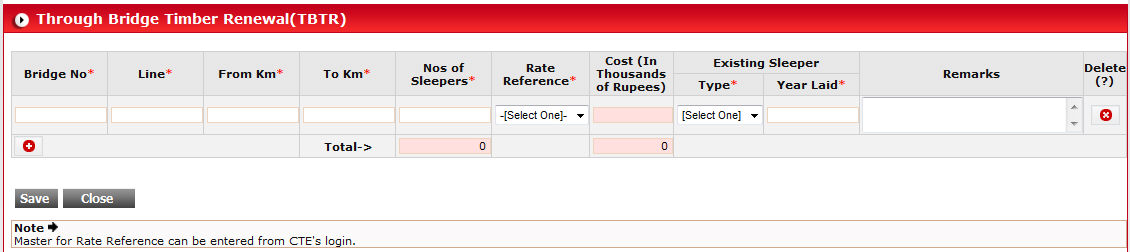
Fill the form as per your requirement
and click on button.
------------------------------------------------------------------------------------------
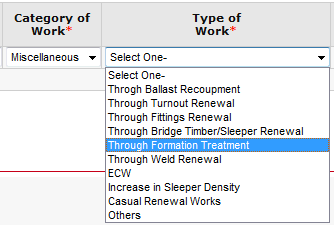
When you select type of work Through Formation Treatment, a button will appear on the right side of the row.
Click on button to open
window of Through Formation Treatment
Renewal (TFTR).
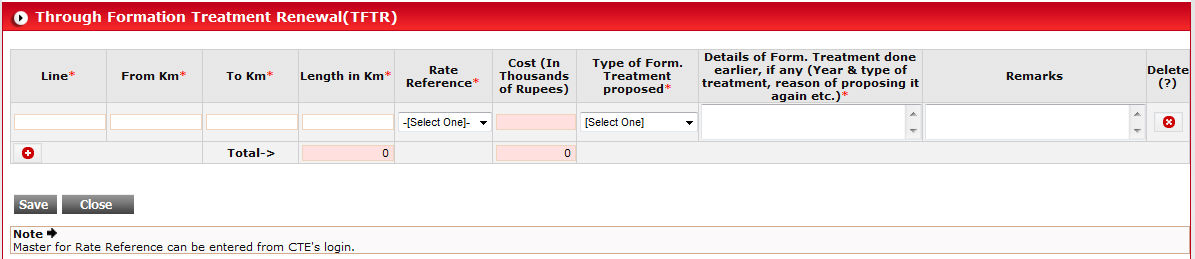
Fill the form as per your requirement
and click on button.
------------------------------------------------------------------------------------------
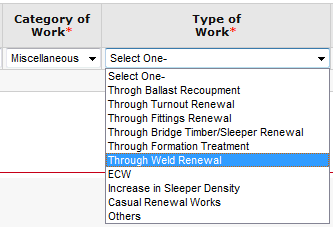
When you select type of work Through Weld Renewal, a button will appear on the right side of the row.
Click on button to open
window of Through Weld Renewal (TWR).

Fill the form as per your requirement
and click on button.
------------------------------------------------------------------------------------------
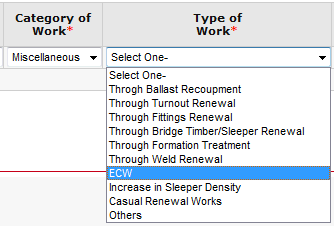
When you select type of work ECW, a button will appear on the right side of the row.
Click on button to open
window of End Cropping and Welding (ECW).
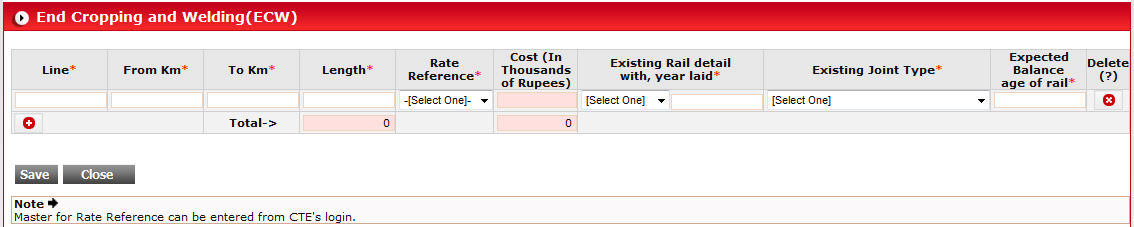
Fill the form as per your requirement
and click on button.
------------------------------------------------------------------------------------------
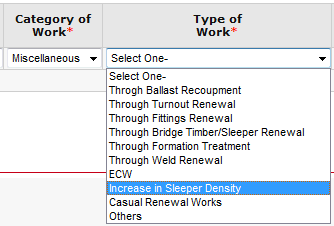
When you select type of work Increase in Sleeper Density, a button will appear on the right side of the row.
Click on button to open
window of Increased Sleeper Density.

Fill the form as per your requirement
and click on button.
------------------------------------------------------------------------------------------
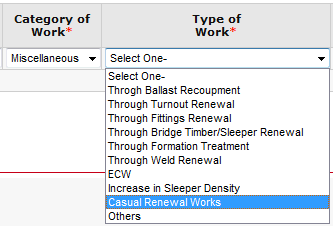
When you select type of work Casual Renewal Works, a button will appear on the right side of the row.
Click on button to open
window of Casual Renewal Work.
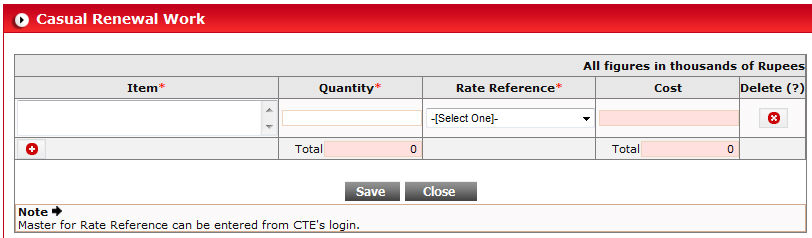
Fill the form as per your requirement
and click on button.
------------------------------------------------------------------------------------------
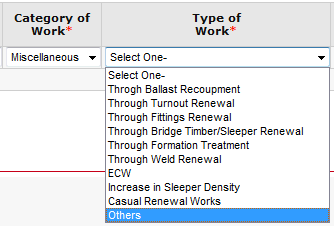
When you select type of work Others, a button will appear on the right side of the row.
Click on button to open
window of Others.
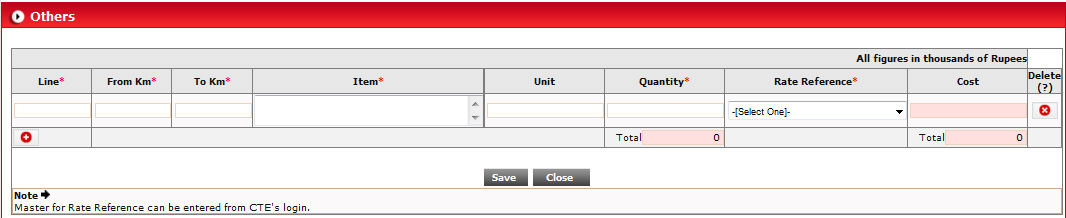
Fill the form as per your requirement
and click on button.