
To run this report click on Report -> Customized Reports.
When you click on this option a list of saved report appears on the screen.
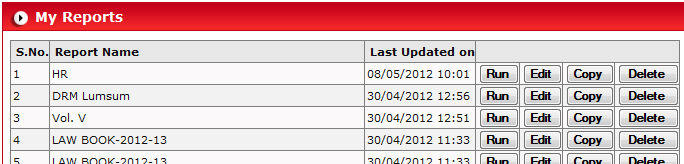
You can Run, Edit, Copy or Delete these previously saved report by clicking on buttons.

Click on  button to select the type of report
you want to create.
button to select the type of report
you want to create.

Select Report Type Work-wise report by clicking radio button
 and click on
  button to open filter criteria
page.
button to open filter criteria
page.
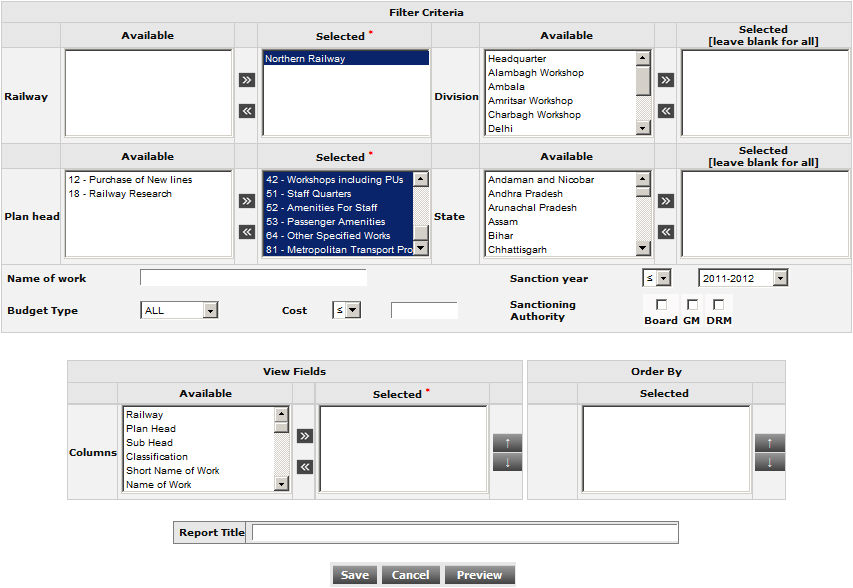
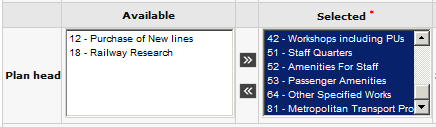
Select the required fields by moving values from Available to Selected.
Fill the Name of work for a particular work or leave blank for all work list.

Click on  button to save your filter criteria
for future use.
button to save your filter criteria
for future use.
Click on  button to generate report.
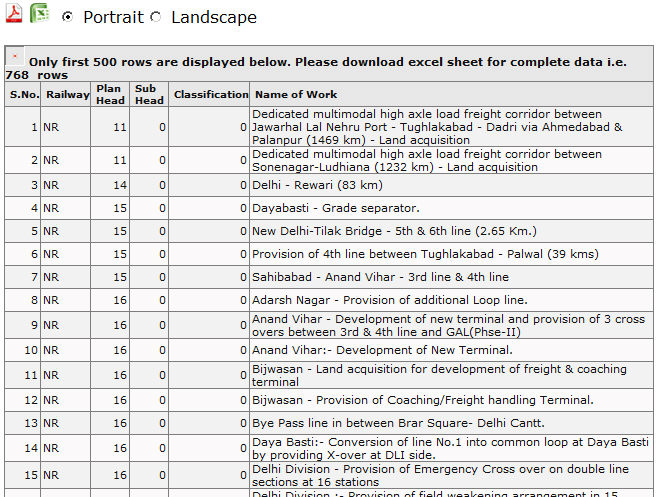
You can export this report either in excel or PDF format
by clicking excel ( ) and PDF (
 ) button respectively.
You can also set the print style by selecting one of them radio button.
