 available at the right upper corner of the welcome screen.
To Edit profile or
Changing Password of a user, click "Edit User" icon available at the right upper corner of the welcome screen.
1. A list of users whose Login Ids have been created by you will be displayed.
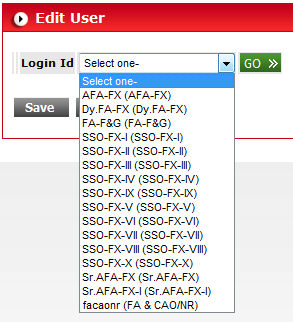
2. Choose the Login ID whose Profile or password is required to be changed. Click "Go".
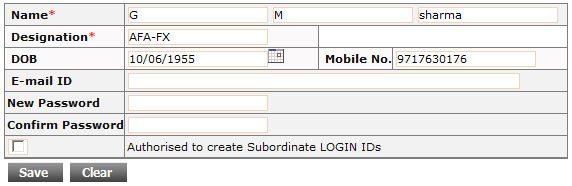
3. Personal profile (such as Name, Designation,DOB,E-Mail,Mobile No.),status of authority for Proposal Creation/Login Creation will be displayed.
4. Change the profile , authority as per requirement.
5. You can also change the password in case of Loss of Password by the user.
6. To Change the Plan Head access, move Plan Heads using >> or << button from/to "Authorised Plan Head" box.
7. To Save the data
click on  button.