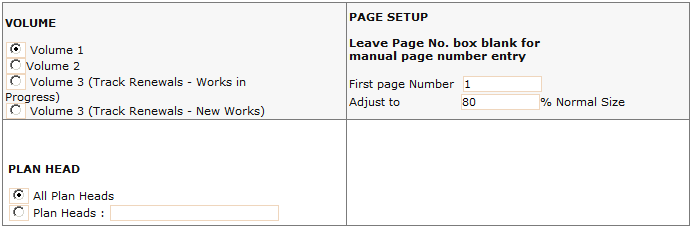
This option generates Volume 1,2 and 3 of Works Program. The works are printed in the order of WP Number. These numbers are required to be entered manually for each work in case of Works in Progress. In case of New works these are generated based on Priority defined by Pr. CE. Numbers are generated by the system as and when Priority of the work is set by the Pr. CE. This number can not be changed once the work is forwarded to Board.
Facility of page setup for the report (Excel format) has also been provided. Page Number for the first page of the report is set to the value entered in first page number. This may be required when option of selected plan head is used.
The other option “Adjust To” has been provided to shrink the report to the given percentage as compared to its normal size.
The changes in the page set up can also be made after report generation by using page setup option of ‘Excel’.
Facility has also been provided to print works for selected plan heads. In case of selected Plan heads, the list of desired Plan heads is to be entered in the Plan Head Field. While typing multiple plan head codes, the codes need to be separated by comma (,).
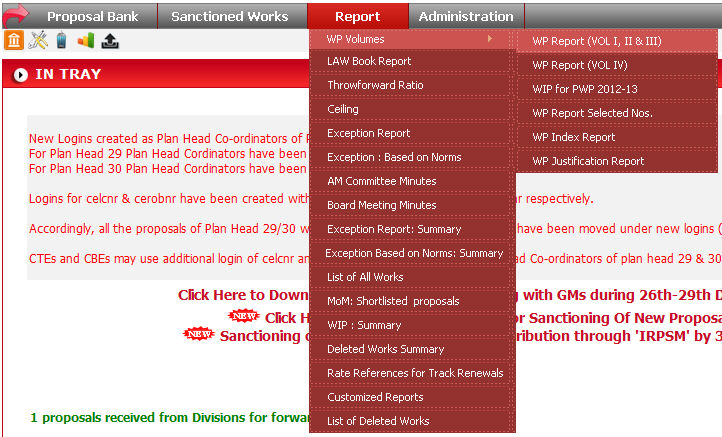
To run this report click on Report -> WP Volumes -> WP Report (VOL I, II & III).
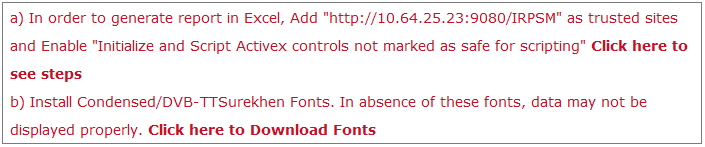
Read the instruction carefully before running the report listed on this page.
Set the parameters
like Volume, Page Setup & Plan Head etc. as required to run report
and click on Generate Report ( ) button.
When you click on
button, data will come in a excel sheet.