The numbers can be entered using one of the following option.
WP No :- All numbers for which printing is required, are entered separated by comma (,).
WP Range :- The numbers can be entered as a range using ‘From’ and “To” Fields. The report corresponding to all
numbers lying between “From” and “To” values (inclusive of both the value) will be printed.
Page setup facility has also been provided which is the same as in Works Program (Volume I to III) option under Report.
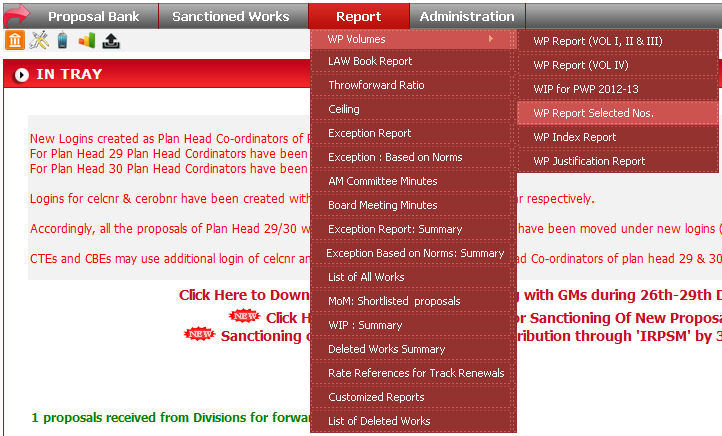
To run this report click on Report -> WP Volumes -> WP Report Selected Nos..
Select the option by clicking radio button, and click on Generate
Report ( ) button.

When you click on
button, data will come in a excel sheet.